
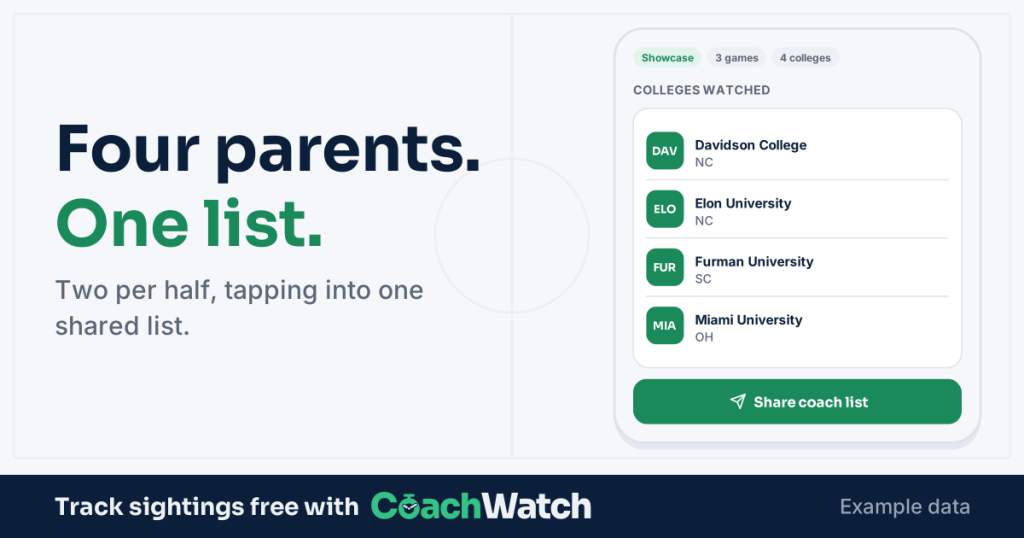
Nobody wants the job of watching the sideline for coaches, but if your team wants to track college coaches at games, someone has to do it, and the trick is to make it as easy as possible and to share the responsibility.
The parent who takes the job spends the match waiting for a coach to walk up, and misses their own kid’s best moment. That’s why teams either skip it or the same volunteers do each game and even fewer parents volunteer to type up the list and look up the emails. (Ask me how I know)
The fix is simple. Split the duty.
How to track college coaches at games: the rotation
Four volunteers per game. Two per half. Each pair watches for 45 minutes, then goes back to being a parent for the other half. Two per half has the advantage of allowing them to stand at opposing corners and have a view of coaches on two sides.
| First half | Second half | |
|---|---|---|
| Pair A | Watch | Cheer |
| Pair B | Cheer | Watch |
Tips for the two parents on duty
- Stand where coaches walk in. Pick a spot where you can see the path or gate they use, not the spot with the best view of the play.
- Don’t chase. A coach who wants the team flier will find you. Hand it over, note the school and the coach, and step back.
- Hand off at halftime. Tell the second pair who has already been logged. Everyone on the game code works from the same list, and a coach tapped twice is only logged once.
What if you only have two volunteers?
Each takes a full game. The app works the same way, and the list still arrives for everyone.
How CoachWatch works
A coach arrives. You tap the coach’s card, or pick the school and then the coach. That’s it. The goal is to look up, tap, and get back to the game. After the game you send the link to the rest of the team and download the list.
You know which coaches came immediately: first name, last name (spelled correctly) and, for every coach on our staff lists, their email address in one file. Nobody has to retype a school name or hunt down an email address afterward.
What to do with the list afterward
Without CoachWatch you may have to wait for the list to be shared, play the “Is that Miami of Ohio or Florida” or “Is OU Ohio, Oklahoma or Oregon” game and then look up each coach’s full name and email. With CoachWatch, you have a final list with far fewer mistakes.
A list is a start, not an answer. Some coaches came for your athlete, some came for the other team, and some may have arrived early to see warm-ups for the next game. Your athlete’s message to each coach after the game should depend on whether she wrote to them before the event, whether they had seen her before, or whether this is a first contact. To weigh a sighting against a reply, a call or a visit, read the five recruiting signals worth tracking.
Set it up in a minute
Pick the four names for this weekend’s game, share the rotation in the team chat, and send them the link. Next game, pass the job to four different parents.
The free CoachWatch Android beta is available now. Send it to the parents on your team.
When you are ready to act on the list, that’s what I’mCommitted.ai is for: a marketing plan for every coach and emails written in your athlete’s own voice.